Summaries
See highlights instantly from any event.Overview
Summaries let you extract what matters most from any earnings event in seconds. With one click, key financial highlights, management commentary, and capital allocation decisions are pulled together into a single, consistently structured view.Each summary pulls from all related documents for each event, including earnings reports, transcripts, and slide presentations. The result is one complete, standardized overview, with nothing missed. Summaries follow a consistent format across all events from public companies globally and update in real time as new documents are released – starting with the report and enriched as slides and transcripts become available.Summaries are available minutes after documents are published.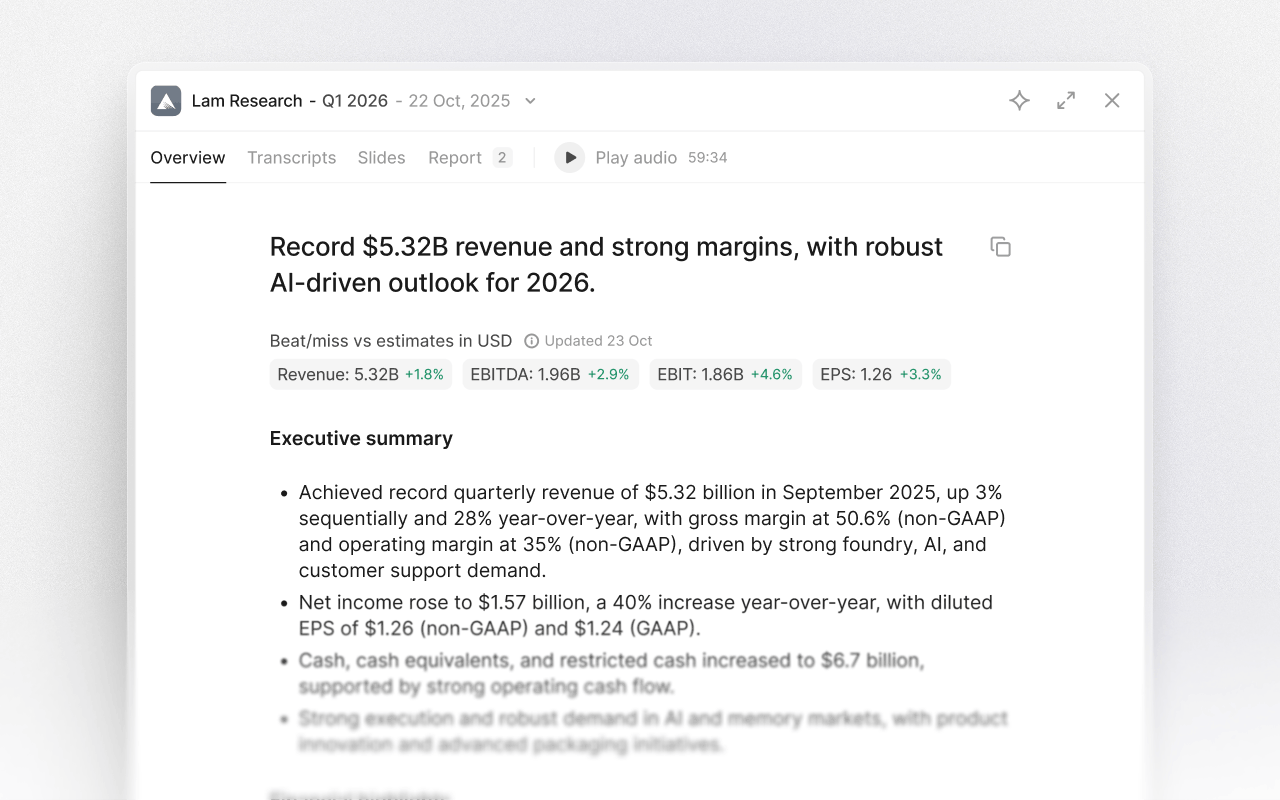
Select an event
Start by navigating to any earnings call, capital markets day, or investor event. From the event page, select the tab "Overview" to see the full event summary.See highlights instantly
Every summary compiles the most relevant information from the event into a clear, easy-to-read format. This includes:- Key financial metrics such as revenue, margins, and guidance updates
- Important management commentary and narrative context
- Capital allocation decisions and strategic priorities